As a US-based freelancer, handling taxes can be confusing — but the W-9 form is essential. It ensures timely payments and IRS compliance, helping you avoid penalties and delays. Knowing how to manage your W-9 protects both you and your clients.
Whether you’re new to freelancing or need clarity, this guide explains everything about the W-9 for freelance work. Want a simpler, error-free solution? Multiplier’s Contractor of Record (COR), also known as Agent of Record (AOR), service streamlines your tax documentation, making compliance easy and stress-free.
What is a W‑9 form for freelancers?
The W-9 form for freelancers is an IRS document called “Request for Taxpayer Identification Number and Certification.” This one-page form collects essential taxpayer information, including your name, address, and Taxpayer Identification Number (TIN). Its primary purpose is helping clients report payments to the IRS through form 1099-NEC at year-end.
US-based freelancers, independent contractors, and consultants performing freelance work are required to provide a W-9 when requested. It’s important to note that this form is exclusively for US taxpayers — foreign contractors use form W-8BEN instead.
Clients typically request your W-9 during the onboarding process or before your first payment. Understanding how to obtain a W-9 for freelance work and how to complete it correctly is crucial for ensuring timely payments and maintaining professional relationships.
Want to dive even deeper into the fundamental concepts? Multiplier’s dedicated resource provides a detailed explanation of the primary purpose of the W-9 form.
Who needs to submit a W-9 form?
The W-9 form for freelancer requirements applies specifically to US-based independent contractors, consultants, and self-employed professionals working for US entities. If you’re providing services as a freelancer and expect to earn $600 or more from a single client during the calendar year, you’ll likely need to submit this form.
Foreign contractors should not submit a W-9. Instead, they typically fill out form W-8BEN or W-8BEN-E to confirm their foreign status and claim any applicable tax treaty benefits, which helps reduce or eliminate US tax withholding.
For US-based freelancers, failing to submit a correct W-9 can delay payments and result in backup withholding, where clients are required to withhold 24% for taxes. That’s why understanding how to fill out a W-9 accurately is critical for steady cash flow.
Step-by-step: How to fill out a W-9 form for freelancers
Completing your W-9 form for freelancer work correctly prevents payment delays and tax complications. Here’s how to fill out each section:
Line 1 – Name: Enter your legal name as it appears on your tax return. If you operate under a business name, include it on the “Business name/disregarded entity name” line.
Line 2 – Business name: Only complete this if you have a separate business name (DBA) different from your legal name.
Line 3 – Federal tax classification: Most freelancers check “Individual/sole proprietor or single-member LLC.” If you’ve formed an LLC, corporation, or partnership, select the appropriate box.
Line 4 – Exemptions: Most freelancers leave this blank as exemptions rarely apply to independent contractors.
Lines 5-6 – Address: Provide your current mailing address where you want to receive tax documents.
Line 7 – Account number: Leave blank unless your client specifically requests it for their records.
Part I – Taxpayer Identification Number: This is crucial. You can use either your Social Security Number (SSN) or Employer Identification Number (EIN). Many freelancers prefer using an EIN for privacy protection and professional credibility.
Part II – Certification: Sign and date the form. Your signature certifies that the information is accurate and you’re not subject to backup withholding.
Remember to update your W-9 for freelance work whenever your information changes, such as your name, address, or business structure. Keep copies of all submitted forms for your records.
Common mistakes freelancers make with W-9s
Even experienced freelancers can make errors with their W-9 form for freelancer submissions. Here are the most common mistakes to avoid:
- Incorrect or outdated TIN: Using an old SSN or EIN, or providing incorrect numbers, can cause significant payment delays. Always double-check your Taxpayer Identification Number before submitting.
- Unsecured transmission: Never send your W-9 for freelance work through unsecured email or public file-sharing platforms. Your form contains sensitive personal information that requires protection.
- Form confusion: Don’t confuse the W-9 with other tax forms like W-2 (for employees) or W-8BEN (for foreign contractors). The W-9 is specifically for U.S. independent contractors who do freelance work.
- Incomplete information: Leaving required fields blank or providing vague information can result in form rejection and payment delays.
How your W-9 form relates to the 1099-NEC
The W-9 form for freelancers isn’t just a standalone document; it’s the foundational piece of information your clients use to report your income to the IRS, primarily through the form 1099-NEC. Understanding this connection is key to your overall tax process.
- W-9 fuels 1099-NEC: Clients use your W-9 details, especially your Taxpayer Identification Number (TIN), to prepare form 1099-NEC, which reports your freelance income to both you and the IRS.
- Key deadline: Clients must send a 1099-NEC by January 31 for payments of $600 or more in the prior tax year. You’ll receive a copy showing total earnings.
- Your tax reporting: Use the income from your 1099-NECs to complete Schedule C (form 1040), where you report profit or loss from your freelance business.
- Integral to freelance tax: The W-9 and 1099-NEC connection creates a clear record of your income. This ensures IRS compliance and supports accurate tax filing. Missteps here can trigger audits or penalties, so understanding this flow is essential for staying on top of your freelance tax responsibilities.
Key tax implications for freelancers
Understanding your W-9 for freelance work is just the beginning of managing your taxes. Key implications include:
- Self-employment tax: Freelancers must pay both income and self-employment tax (15.3%) covering Social Security and Medicare.
- No tax withholding: Unlike traditional employees, clients do not withhold taxes from your freelance payments. You are personally responsible for setting aside money throughout the year to cover your tax liabilities.
- Quarterly taxes: You’ll likely need to make quarterly estimated tax payments to avoid IRS penalties.
- Record-keeping: Track invoices, income, and expenses to ensure accurate reporting and maximize deductions.
Security tips when sharing your W-9 form
Here’s how to securely handle your W-9 form for freelance work:
- Use secure transmission methods only: Your W-9 contains sensitive personal data, so always use encrypted email, password-protected files, or secure client portals when sending it.
- Avoid unsecured channels: Never share your W-9 through unsecured channels like regular email attachments without encryption, or on public platforms.
- Inquire about client security: When a client requests your W-9, don’t hesitate to ask about their security protocols for storing tax documents. Reputable companies should have robust, secure systems with limited access to protect your information.
For companies hiring freelancers: Why W-9 compliance matters
Businesses hiring freelancers must collect accurate W-9 forms to avoid IRS penalties and backup withholding. Gathering W-9s during onboarding ensures smooth year-end reporting.
The reality is that managing these regulatory requirements is a widespread struggle. As per Multiplier’s Global hiring gap report, only 8% of companies report being fully confident and compliant with tax and labor laws, leaving a staggering 92% exposed to severe compliance risks and penalties.
Automated solutions, such as Multipliers’ COR, can simplify W-9 collection and compliance management.
How Multiplier streamlines W-9 and tax compliance for freelancers and companies
Managing W-9 forms for freelancers and ensuring broader tax compliance can be complex for both parties. Multiplier offers a streamlined solution to simplify these administrative burdens.
This complexity is a major operational hurdle for growing businesses. Multiplier’s Global hiring gap report shows that 53% of companies cite international tax compliance as a top payroll challenge.
Automated W-9 and 1099 management
Multiplier streamlines tax compliance by automatically collecting W-9s from freelancers and generating 1099 forms when needed. This eliminates manual effort and ensures your business complies with all US tax regulations for freelance work.
Seamless payments and accuracy
Freelancers receive accurate and timely payments, with no delays or errors. Multiplier ensures every transaction is smooth, helping you build strong, compliant contractor relationships.
Centralized dashboard and efficiency
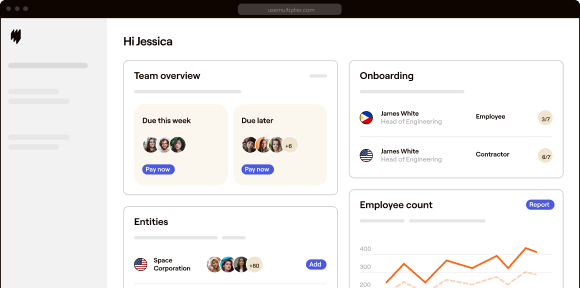
Manage tax documents, invoices, and payments from one intuitive dashboard. This centralized system boosts efficiency and transparency. Companies using Multiplier have saved over 1,180 hours in admin work — freeing up time to focus on growth, not paperwork.
Final thoughts
Proper W-9 management is key to smooth payments and client trust. Accurately completing and securely sharing your W-9 protects against compliance issues. Keep your details updated, stay organized, and focus on delivering great work — while ensuring tax responsibilities are handled professionally and efficiently in every freelance engagement.
Ready to simplify your tax compliance?
Book a demo with Multiplier today to automate your W-9 collection and streamline your freelance business operations.
FAQs
Is there a deadline to submit W-9s?
There is no official IRS deadline for submitting a form W-9. To ensure prompt payment, submit your W-9 after signing the contract but before sending your first invoice.
Do I need a new W-9 for each client?
No, you don’t need a new W-9 for each client, but you should provide an updated form if your information changes or if a client requests a current version.
What if I'm a foreign freelancer?
If you’re a foreign freelancer (not a U.S. citizen or resident), you typically don’t need to fill out form W-9. Instead, you should provide your client with form W-8BEN to certify your foreign status and claim any applicable tax treaty benefits.
Can I e-sign a W-9?
Yes, electronic signatures are acceptable for W-9 forms when transmitted securely.